
4.0
ratings24 MB
SizeVerified
SCREENSHOTS (4)
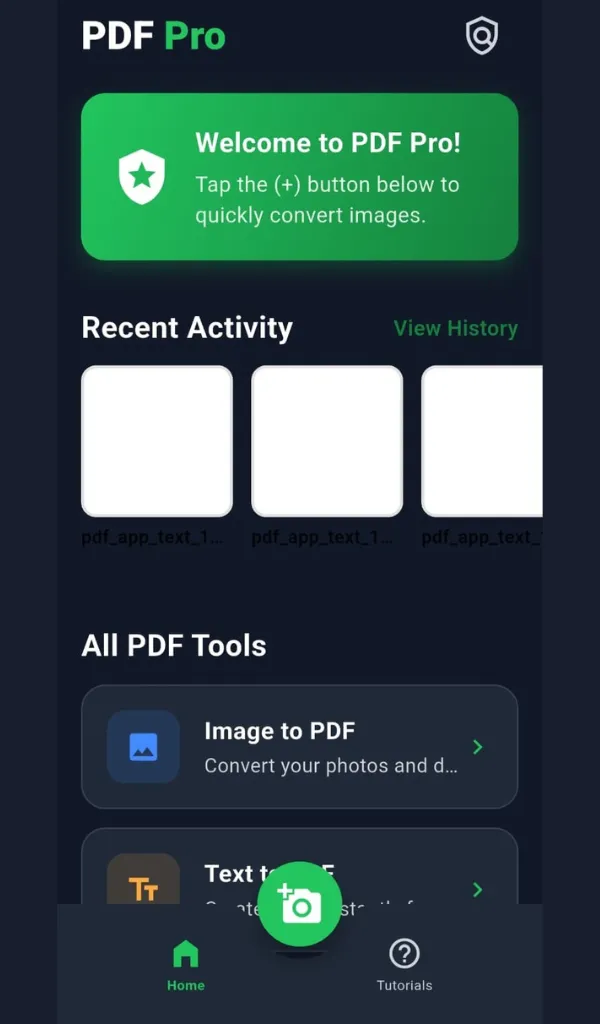
About the app
PDF Pro – The Complete PDF Tools App for Everyday Use
Manage, convert, and secure your PDF files like a pro!
PDF Pro is an all-in-one solution for handling PDFs — whether you need to merge, split, convert, compress, or protect your files, everything can be done right from your phone, completely offline.
🚀 Why Choose PDF Pro?
PDF Pro is designed to simplify your daily document tasks. Unlike heavy PDF editors, it’s lightweight, fast, and privacy-focused — no internet connection required for most tools, and no files are uploaded to any server. Everything stays safely on your device.
Whether you’re a student, office worker, or freelancer, PDF Pro saves your time with easy-to-use tools and batch support.
⚙️ Main Features
🖼️ Image to PDF
Convert one or multiple photos into a single high-quality PDF. Adjust layout, page size, and order instantly.
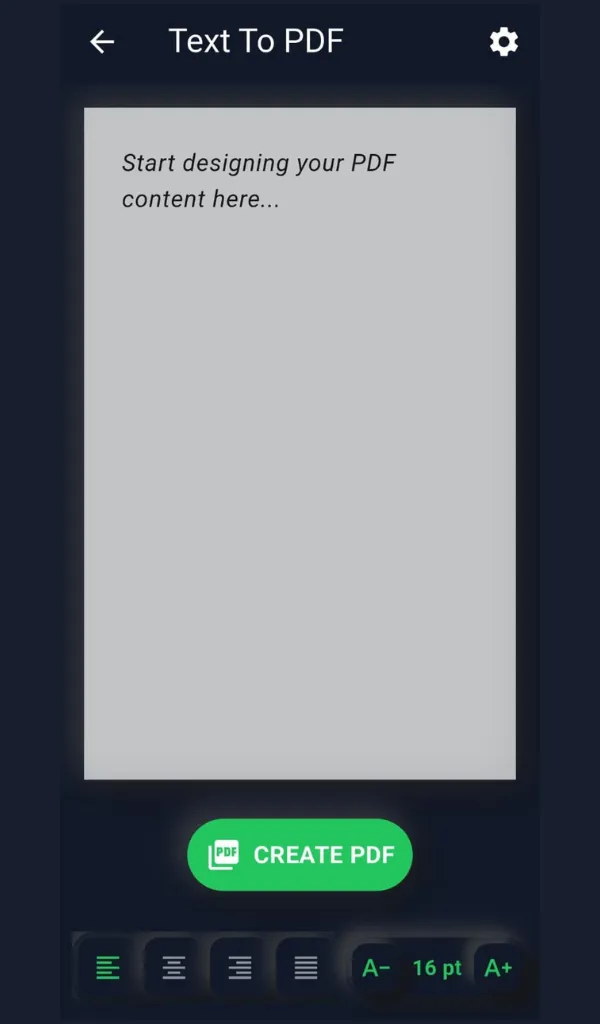
✍️ Text to PDF
Turn your notes, documents, or copied text into professional PDFs with clean formatting.
🧩 Merge PDFs
Combine multiple PDFs into a single organized file. Perfect for combining reports, invoices, or class notes.
✂️ Split PDFs
Extract selected pages or divide large files into smaller ones — fast and accurate.
🗜️ Compress PDFs
Reduce file size while maintaining quality. Great for email attachments or online submissions.
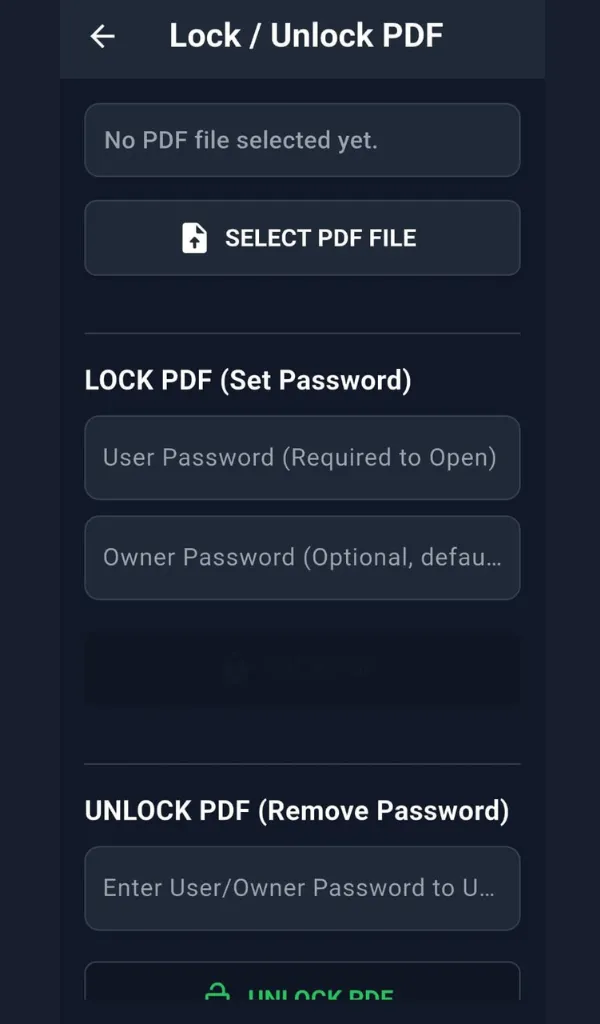
🔒 Lock & Unlock PDFs
Secure your files with a password or remove existing restrictions with a single tap.
🔄 Rotate PDFs
Fix page orientation errors and save the updated version instantly.
📂 Batch Processing
Work with multiple files at once — merge, compress, or convert entire folders in one go.
📤 Preview & Share
View, rename, and share your PDFs directly from the app via email, WhatsApp, or Drive.
🌐 Offline and Secure
All core functions of PDF Pro work offline, ensuring full privacy and security. Your PDFs never leave your device unless you choose to share them.
⚡ User-Friendly Design
PDF Pro focuses on simplicity and speed. The clean interface makes every tool easy to find and use — no clutter, no confusion, just productivity.
Lightweight app – under 20 MB
Smooth performance on low-end phones
Minimal ads in the free version
Optional upgrade to Pro: remove ads, unlock extra features
🧠 Use Cases
Convert scanned notes or photos to PDFs
Combine multiple receipts into one document
Compress large PDFs for submission or email
Add passwords to confidential files
Split a large ebook into smaller parts
Rotate misaligned pages
Generate printable PDFs from text
🔧 Upcoming Features
Dark mode support
PDF to image & PDF to text conversion
Cloud backup integration
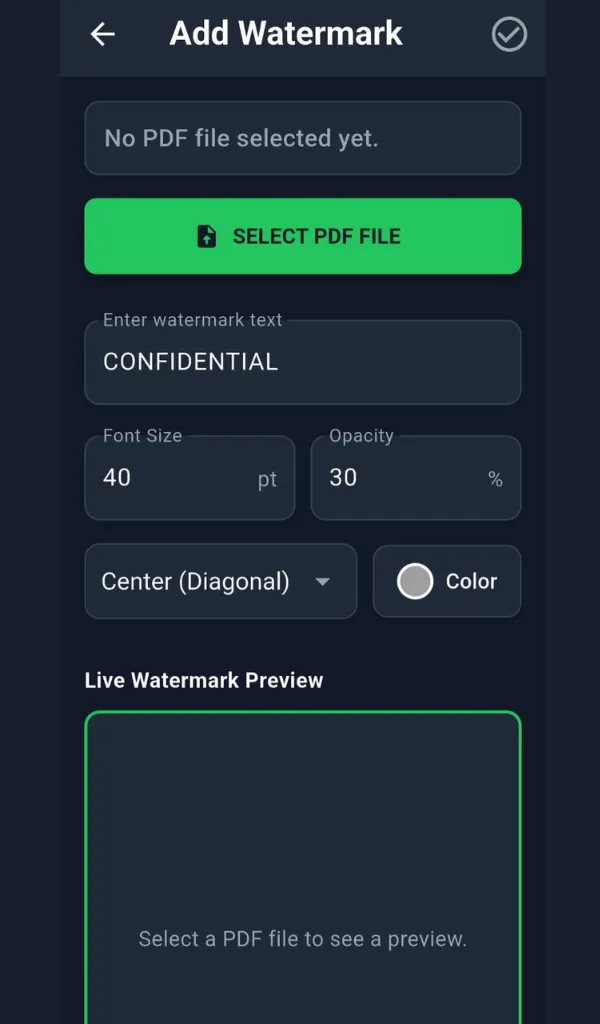
Advanced watermarking & page editing
Tools
Ratings
0
0 total ratings
5
73%
4
10%
3
4%
2
3%
1
10%
REVIEWS
No reviews yet. Be the first one to review this app
'%20fill-rule='evenodd'%20clip-rule='evenodd'%20d='M8.04878%200.118571C9.10796%20-0.198465%2010.2321%200.132893%2010.9526%200.961509L18.7058%209.9036H22.0709C23.0433%209.90386%2023.8429%2010.7032%2023.843%2011.6757V13.1309H23.8497C23.8497%2013.4983%2023.5476%2013.8014%2023.1803%2013.8015H19.9372V33.9548C19.9372%2034.423%2019.5703%2034.7975%2019.1021%2034.7977H17.142C15.91%2034.7977%2014.9156%2033.8036%2014.9154%2032.5644V28.0251C13.5538%2028.5582%2012.3722%2028.7169%2010.9963%2028.7169C6.45689%2028.7169%203.74677%2025.6897%203.74677%2020.6099V13.8015H1.77319C0.800641%2013.8015%200.000280942%2013.0091%200%2012.0294V10.573C0.000219737%2010.2057%200.303205%209.9036%200.670545%209.9036H13.5676L5.13039%201.85482C4.82078%201.55938%204.94365%201.04032%205.35428%200.917851L8.04878%200.118571ZM8.78425%2013.8082V20.611C8.78438%2023.1974%209.8151%2024.35%2012.1135%2024.35C12.9637%2024.3499%2014.1167%2024.1489%2014.902%2023.7959V13.8082H8.78425Z'%20fill='white'/%3e%3c/svg%3e)
Permissions
Storage: access photos, media, and files on your device
Internet: use your internet connection
Phone: make and manage phone calls
Developer Info
Curated for YouSee all






Scan to download on PhonePe Appstore

