

Ojhdt Apps
4.0
ratings37 MB
SizeVerified
SCREENSHOTS (8)
About the app
feature
1. Flexible
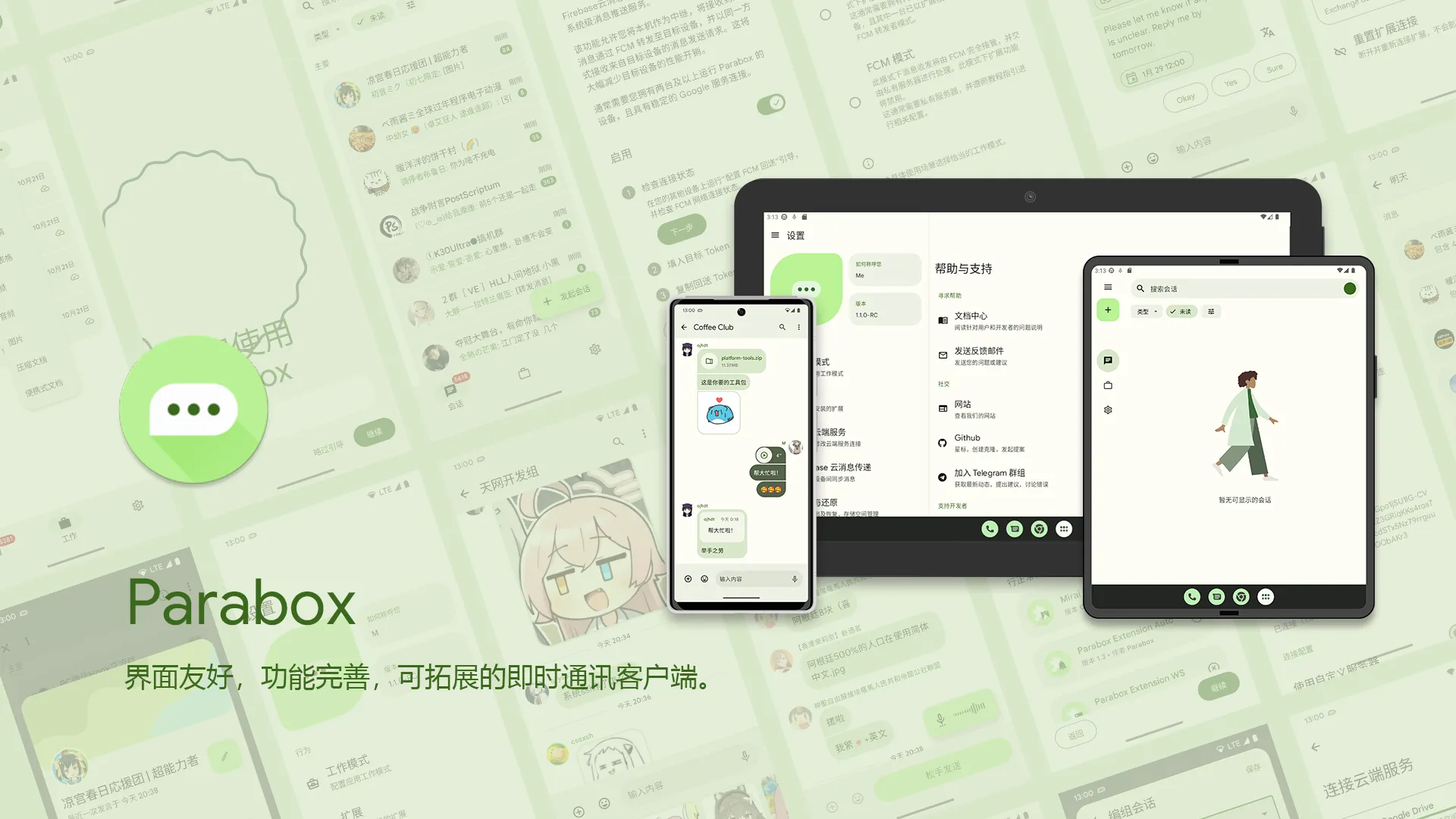
It fits your usage needs, breaks the barrier of information sources, and conducts secondary screening, classification, and grouping of conversations and content at will. Let chat return to pure.
2. Personality
The interface design follows Google's new design language - Material You. The theme is generated according to the wallpaper color (Android 12 only), with a variety of built-in color themes to choose from, just designed for you.
Layout adaptation for multiple screen sizes (mobile phones, foldable devices, tablets) and support for dark mode.
3. Synchronization
Use system-level push to build a message synchronization network between different devices. Easily transfer the cost of message reception and greatly save background overhead.
4. Plugin
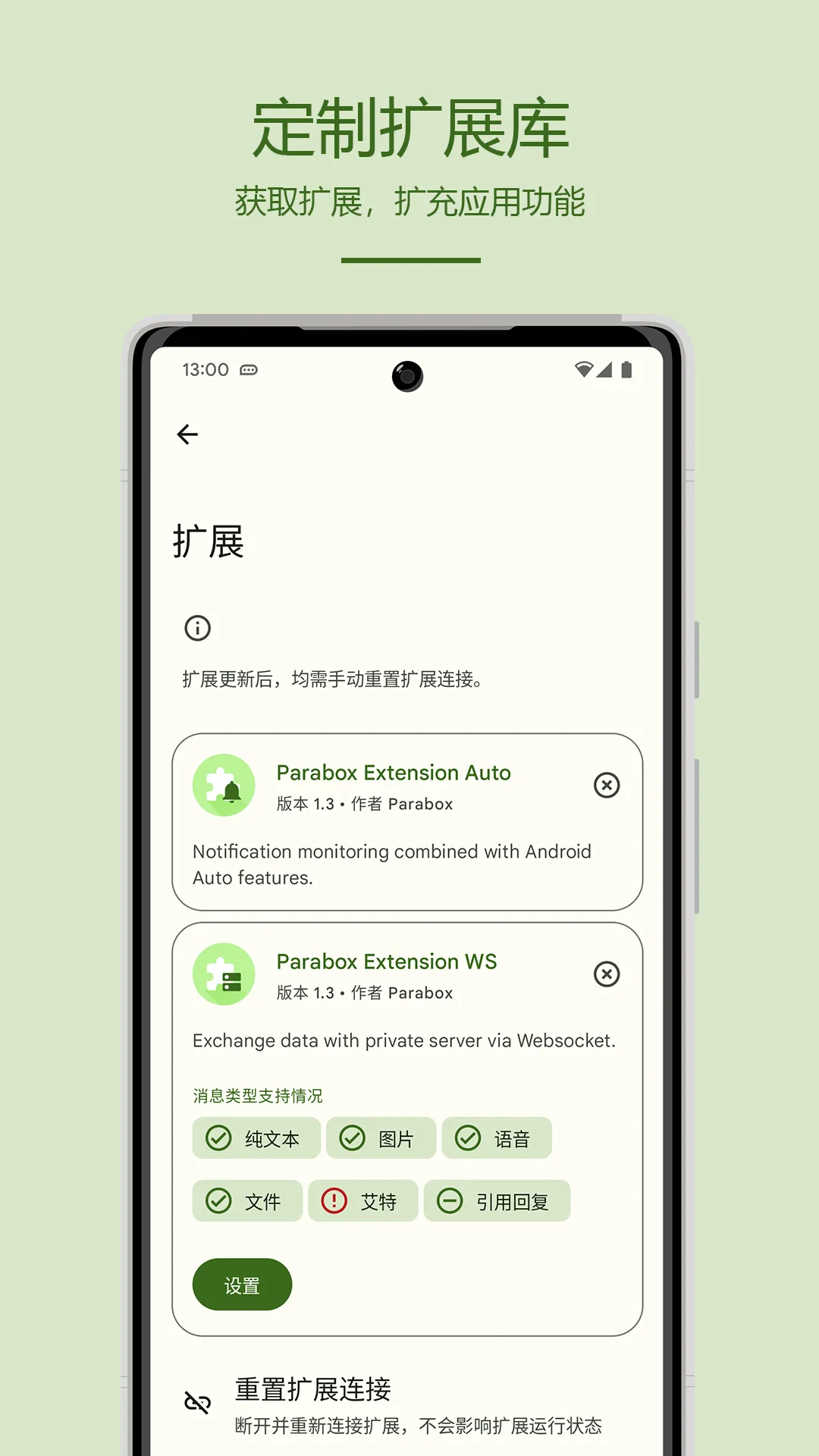
Third-party plugins provide richer and more stable news sources. Users can build their own message source library according to their usage habits, and messages from different sources can still be processed uniformly and efficiently.
5. Follow Best Practices
Use modern Android development methods. The interface is built entirely using Jetpack Compose, a new toolkit for native Android interfaces. Use the Jetpack library for persistence, navigation, background scheduling, architecture, and more.
Function
1. Messaging
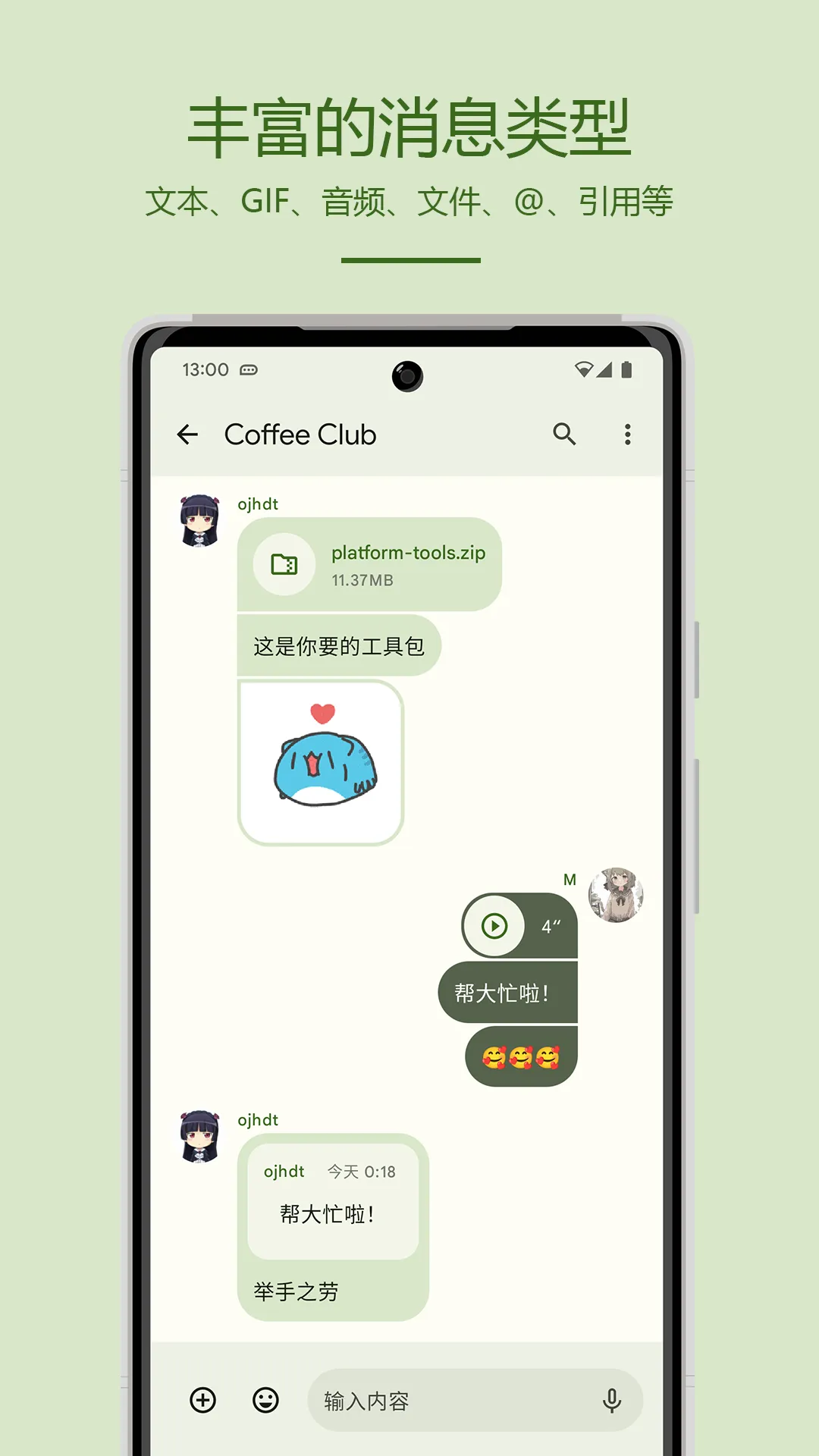
Supports receiving and sending of common message types.
2. Session marshalling
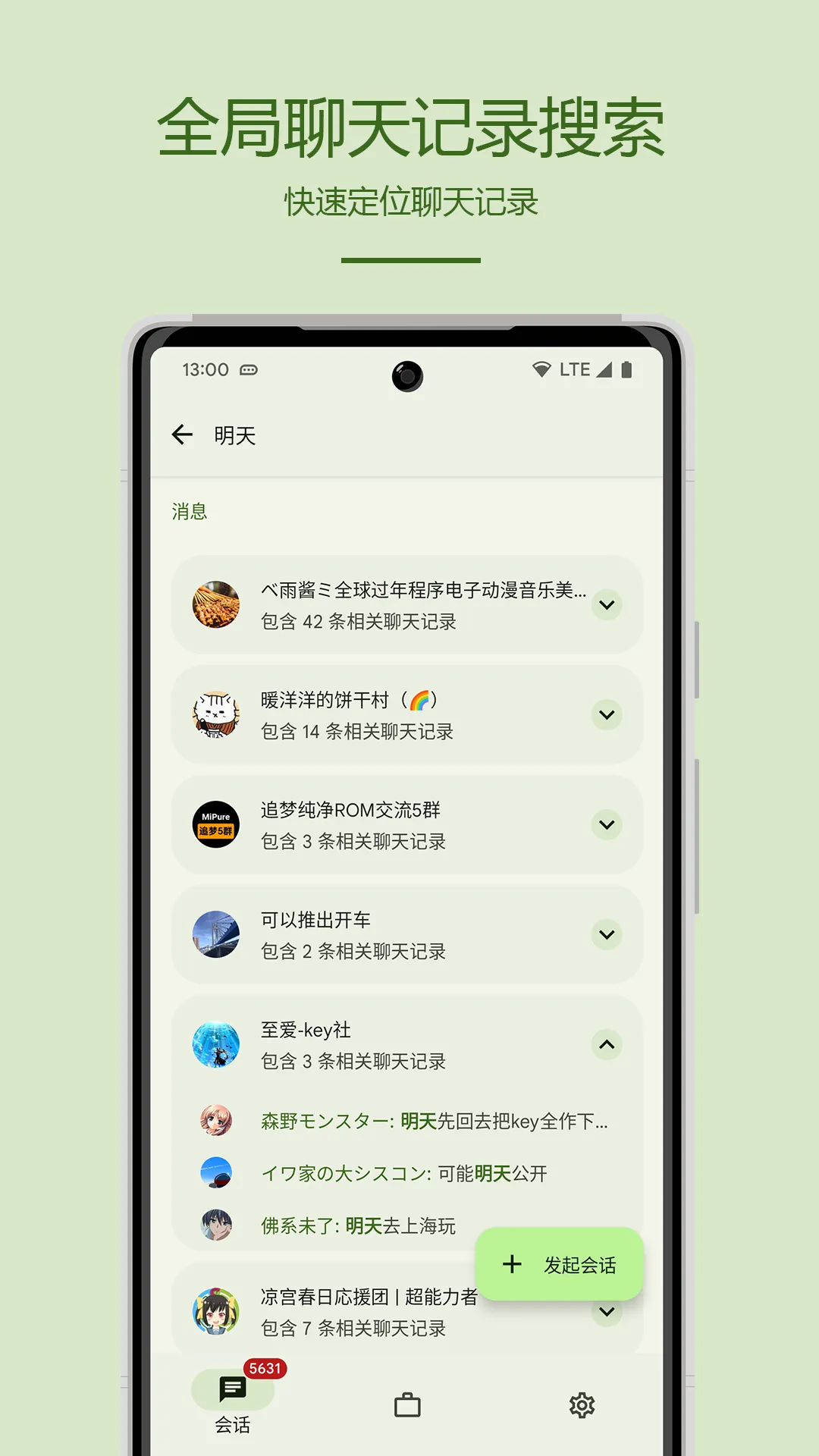
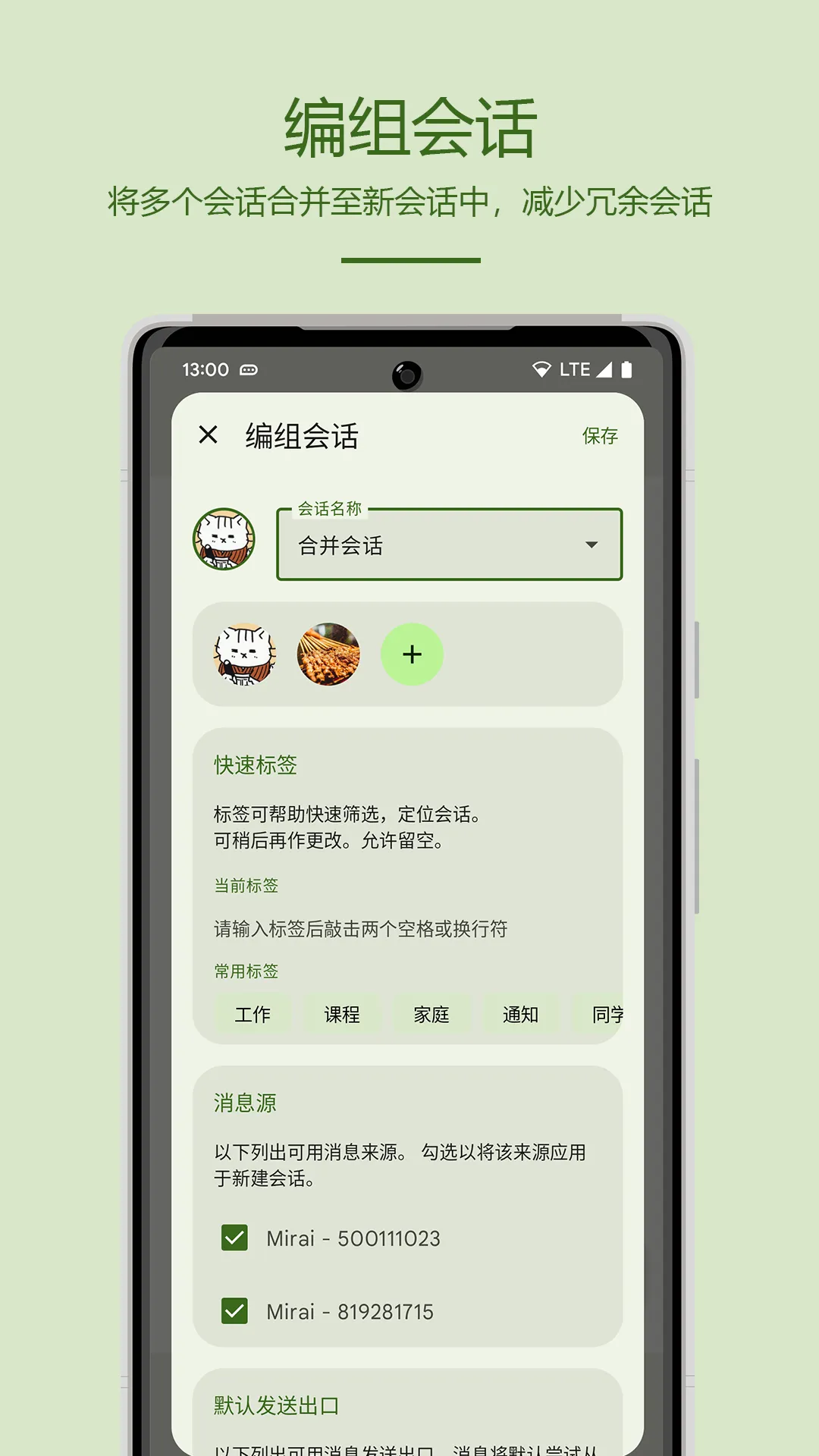
Parabox brings you a whole new way of session management! Say goodbye to cluttered multi-platform sessions and duplicate notifications, the new grouping feature allows users to group **different sessions** from **different platforms** into a new session without any additional overhead. The grouped session enjoys the same functional experience as a normal session. You can get rid of numerous workgroups with similar functions—you only need to keep one.
3. File management
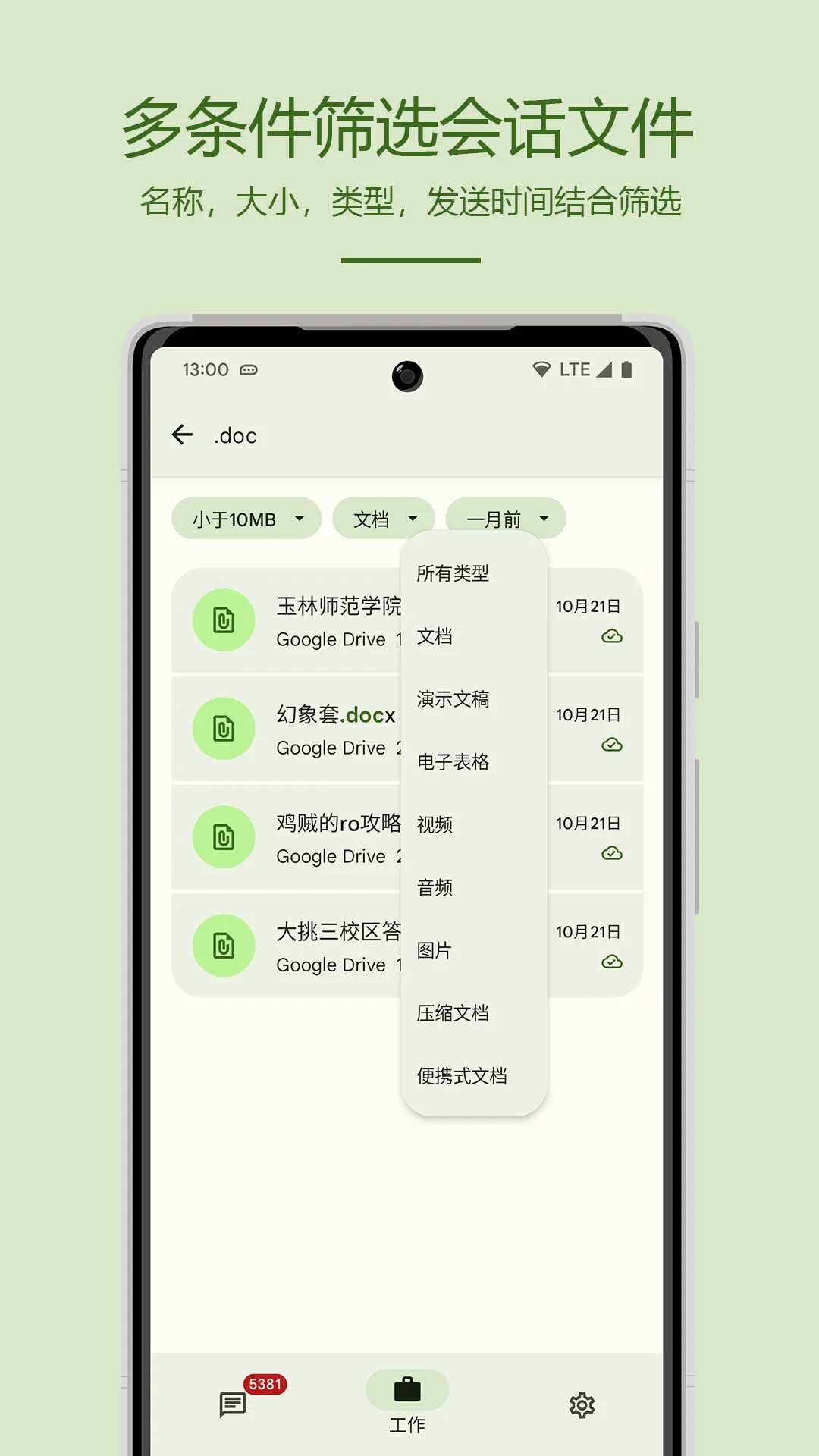
Have you ever faced the dilemma of having difficulty downloading historical files? Documents scattered everywhere are not only of various types, but also difficult to trace and locate. Parabox has carefully prepared an independent file management page for you. Provides various filter conditions such as time, type, file size, etc. With keyword search, it can help you quickly locate files and expand the workflow.
4. Cloud Backup
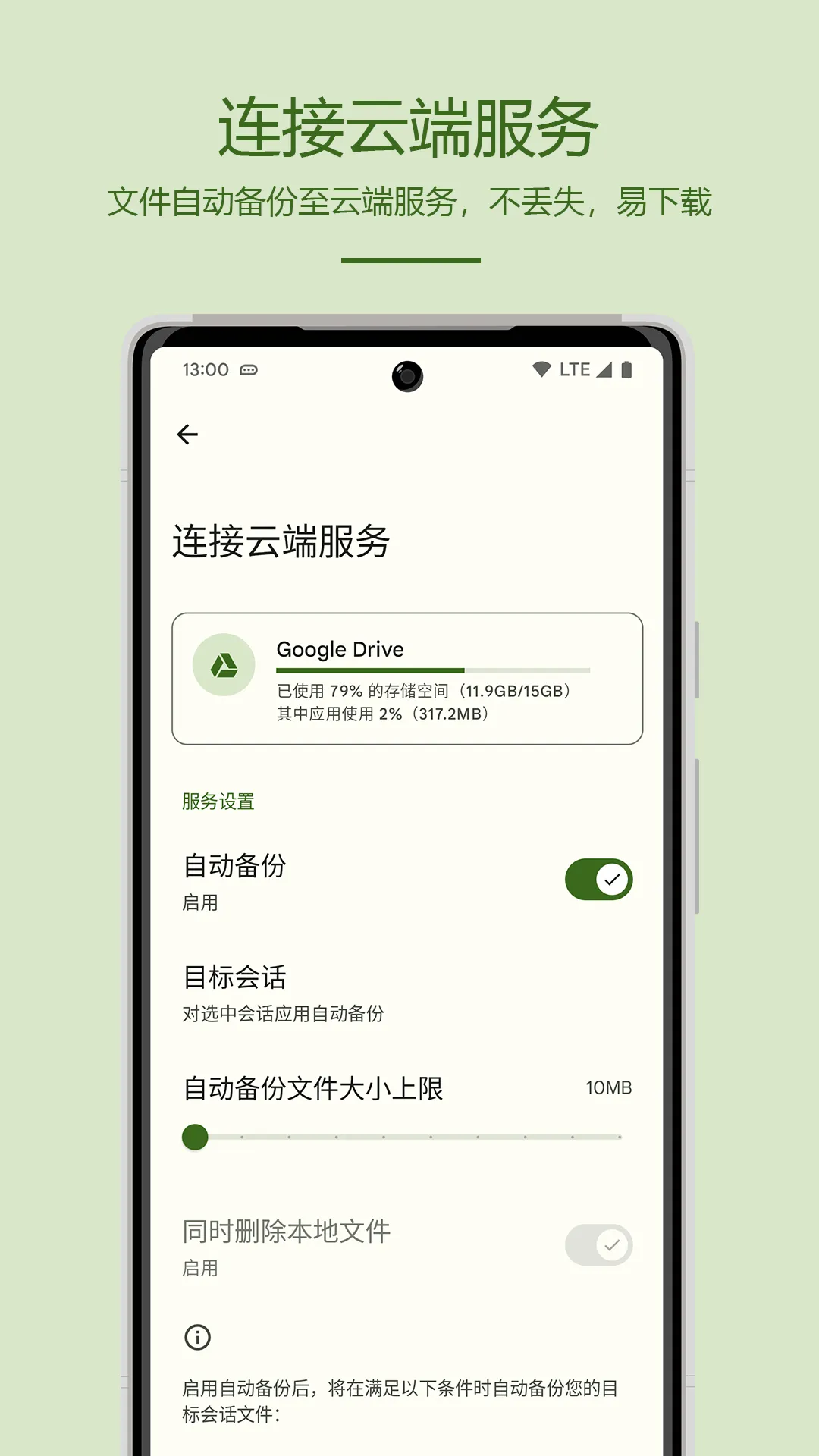
Parabox provides easy access to your favorite cloud storage services. Automatically back up files to the cloud when idle in the background and network conditions allow, without occupying local storage space. From now on the session file is not easy to miss, no longer lost.
5. Inform evolution
The notification evolution function benefits from Android's constantly improving notification standards, making the notification function more standardized and more practical. Adapted system features include:
- Notification channels
- Expand notification
- Quick Reply
- Dialogue bubbles
6. System level push*
Through FCM messages, Parabox can **stop background service residency** while receiving messages normally. The system-level push service accepts the unified scheduling of the system, and has a better scheduling mechanism and better performance. This will greatly save system resources and extend the battery life of the device.
7. Plug-in information sources
Third-party plugins provide richer and more stable news sources. Users can build their own message source library according to their usage habits, and messages from different sources can still be processed uniformly and efficiently.
8. Data export
Parabox provides a data export function that allows users to export session data to local storage for use on other devices or for backup purposes. At the same time, users can export session data to other locations, such as cloud storage.
Social
Ratings
0
0 total ratings
5
73%
4
10%
3
4%
2
3%
1
10%
REVIEWS
No reviews yet. Be the first one to review this app
'%20fill-rule='evenodd'%20clip-rule='evenodd'%20d='M8.04878%200.118571C9.10796%20-0.198465%2010.2321%200.132893%2010.9526%200.961509L18.7058%209.9036H22.0709C23.0433%209.90386%2023.8429%2010.7032%2023.843%2011.6757V13.1309H23.8497C23.8497%2013.4983%2023.5476%2013.8014%2023.1803%2013.8015H19.9372V33.9548C19.9372%2034.423%2019.5703%2034.7975%2019.1021%2034.7977H17.142C15.91%2034.7977%2014.9156%2033.8036%2014.9154%2032.5644V28.0251C13.5538%2028.5582%2012.3722%2028.7169%2010.9963%2028.7169C6.45689%2028.7169%203.74677%2025.6897%203.74677%2020.6099V13.8015H1.77319C0.800641%2013.8015%200.000280942%2013.0091%200%2012.0294V10.573C0.000219737%2010.2057%200.303205%209.9036%200.670545%209.9036H13.5676L5.13039%201.85482C4.82078%201.55938%204.94365%201.04032%205.35428%200.917851L8.04878%200.118571ZM8.78425%2013.8082V20.611C8.78438%2023.1974%209.8151%2024.35%2012.1135%2024.35C12.9637%2024.3499%2014.1167%2024.1489%2014.902%2023.7959V13.8082H8.78425Z'%20fill='white'/%3e%3c/svg%3e)
Permissions
Storage: access photos, media, and files on your device
Internet: use your internet connection
Phone: make and manage phone calls
Camera: take pictures and record video
Developer Info
Curated for YouSee all






Scan to download on PhonePe Appstore

