
Leonardo Javier Russo
4.0
ratings0 MB
SizeVerified
SCREENSHOTS (2)
About the app
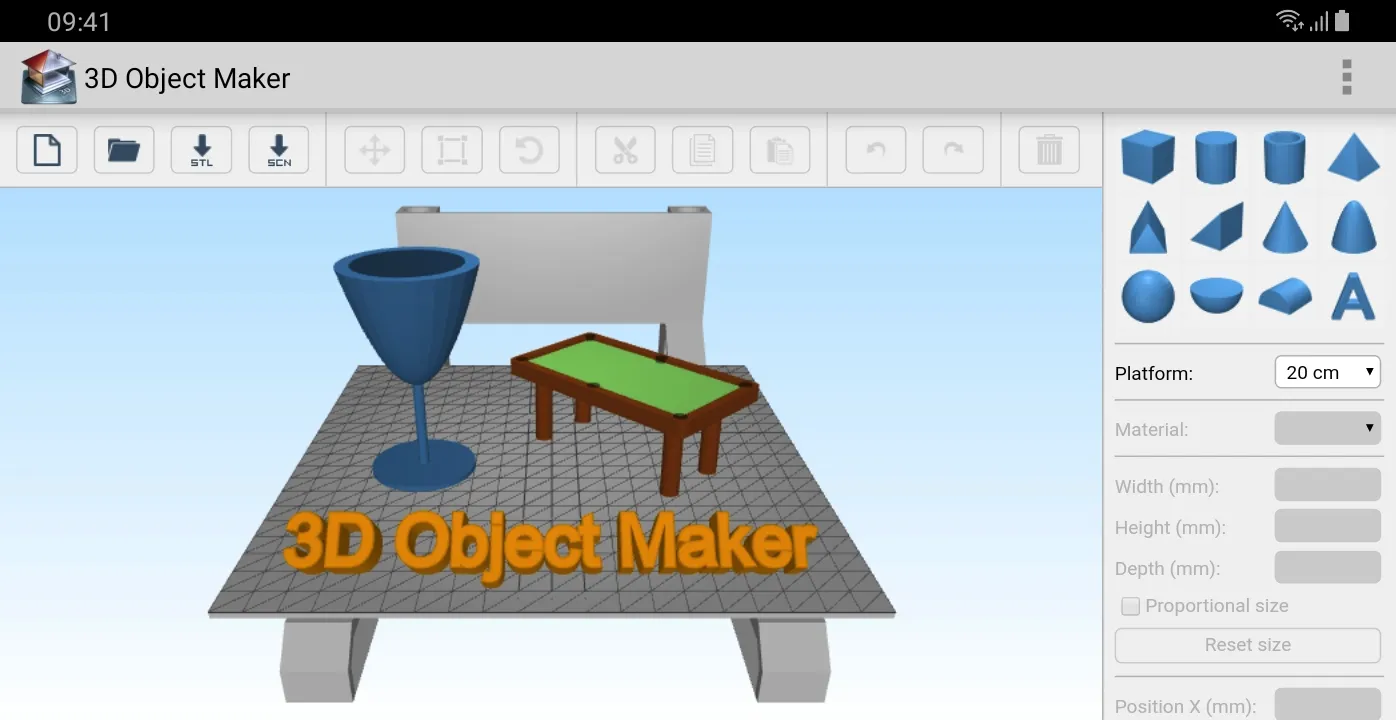
3D Object Maker compatible with models in STL, OBJ and 3DS format. You can export your work ready to print in 3D (STL format) or to keep working on it later (SCENE format).
HOW TO USE THE APP:
Add geometric shapes (from the right panel) to the plataform to create your own object. Also you can import STL, OBJ and 3DS models to the plataform. Later, export the object as STL file (for 3D printing) or as a SCENE file (to keep working on it later).
HOW TO CUT OBJECTS:
1) Add object A to the plaform.
2) Add object B to the platform.
3) Select object B.
4) Select the material 'Hollow' (from the right panel).
5) Export the work as a STL file (the object B will erase every object, partially or entirely, that is within it's space). Depending of how complex are the objects, the device may take a few minutes to perform the task.
HOW TO FUSION OBJECTS:
1) Add object A to the plaform.
2) Add object B to the platform.
3) Select object B.
4) Select any material (except 'Hollow') from the right panel.
5) Export the work as a STL file.
HOW TO MOVE AROUND THE PLATFORM:
One finger to rotate, two fingers to zoom in and out and three fingers to move the camera.
Productivity
Ratings
0
0 total ratings
5
73%
4
10%
3
4%
2
3%
1
10%
REVIEWS
No reviews yet. Be the first one to review this app
'%20fill-rule='evenodd'%20clip-rule='evenodd'%20d='M8.04878%200.118571C9.10796%20-0.198465%2010.2321%200.132893%2010.9526%200.961509L18.7058%209.9036H22.0709C23.0433%209.90386%2023.8429%2010.7032%2023.843%2011.6757V13.1309H23.8497C23.8497%2013.4983%2023.5476%2013.8014%2023.1803%2013.8015H19.9372V33.9548C19.9372%2034.423%2019.5703%2034.7975%2019.1021%2034.7977H17.142C15.91%2034.7977%2014.9156%2033.8036%2014.9154%2032.5644V28.0251C13.5538%2028.5582%2012.3722%2028.7169%2010.9963%2028.7169C6.45689%2028.7169%203.74677%2025.6897%203.74677%2020.6099V13.8015H1.77319C0.800641%2013.8015%200.000280942%2013.0091%200%2012.0294V10.573C0.000219737%2010.2057%200.303205%209.9036%200.670545%209.9036H13.5676L5.13039%201.85482C4.82078%201.55938%204.94365%201.04032%205.35428%200.917851L8.04878%200.118571ZM8.78425%2013.8082V20.611C8.78438%2023.1974%209.8151%2024.35%2012.1135%2024.35C12.9637%2024.3499%2014.1167%2024.1489%2014.902%2023.7959V13.8082H8.78425Z'%20fill='white'/%3e%3c/svg%3e)
Permissions
Storage: access photos, media, and files on your device
Phone: make and manage phone calls
Developer Info
Curated for YouSee all






Scan to download on PhonePe Appstore

