

East-Hino
4.0
ratings4 MB
SizeVerified
SCREENSHOTS (4)
About the app
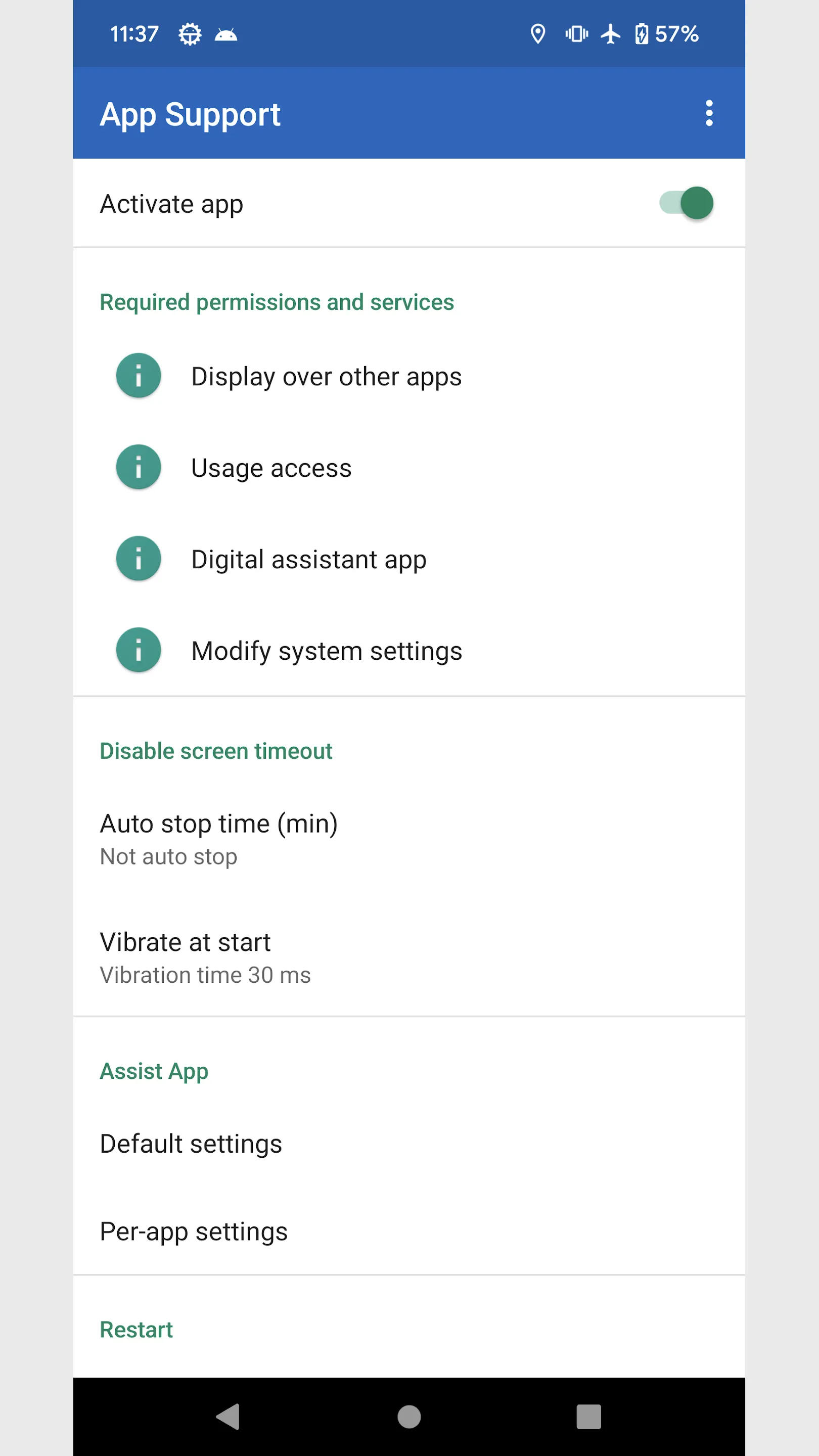
I summarized the functions that I think would be convenient if I could set them for each app.
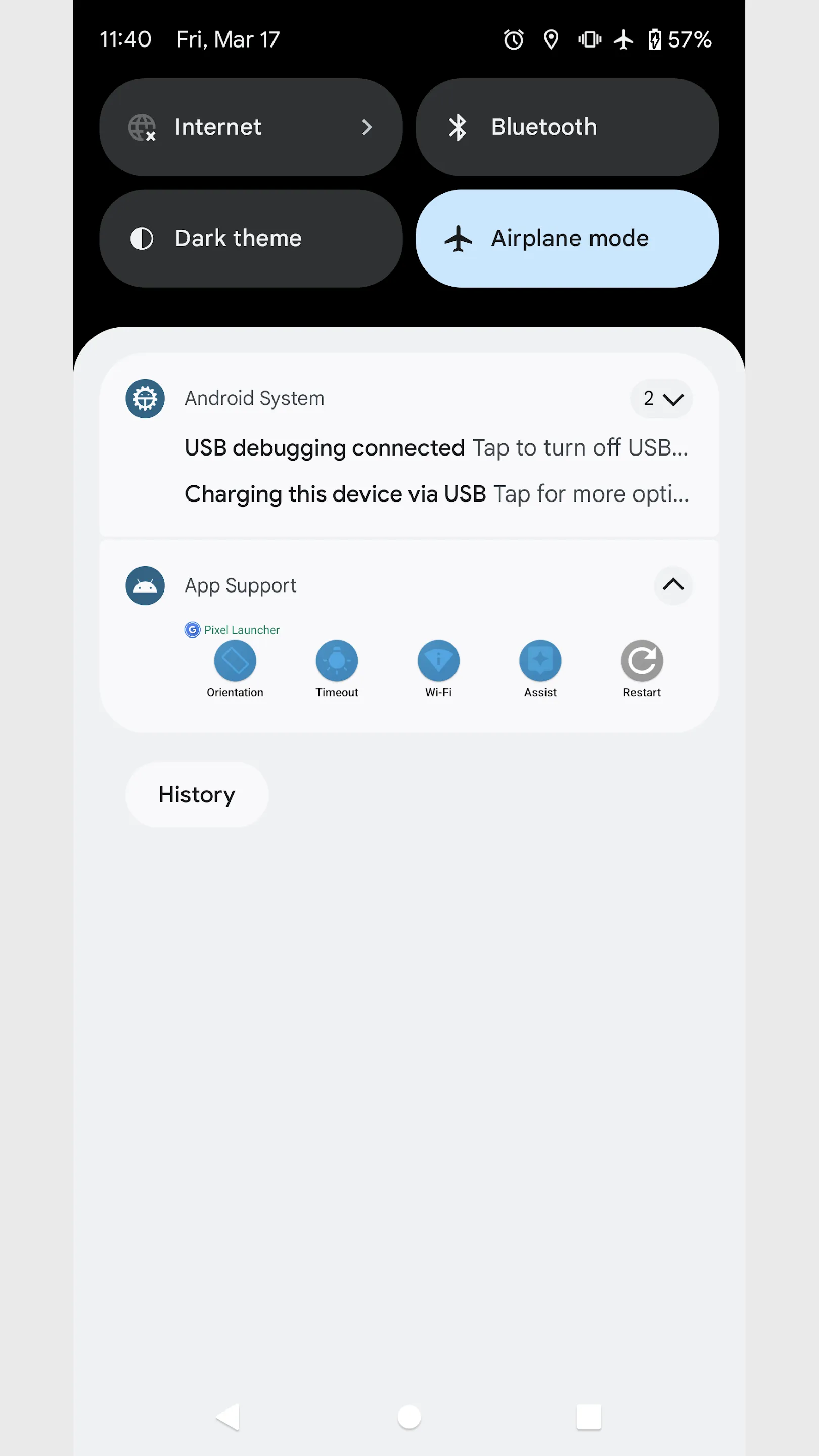
Configure using the panel that appears in the notification area.
■Settings panel
・Screen orientation
You can forcibly change the screen orientation of apps and home screens whose screen orientation is fixed.
・Screen timeout
Keep screen on and disable screen timeout.
・Check Wi-Fi
Check the Wi-Fi connection when switching apps to prevent inadvertent mass communication.
・Assist app
You can set apps and shortcuts to launch when you press and hold the home button.
・Restart
Force the app to restart.
■Other support
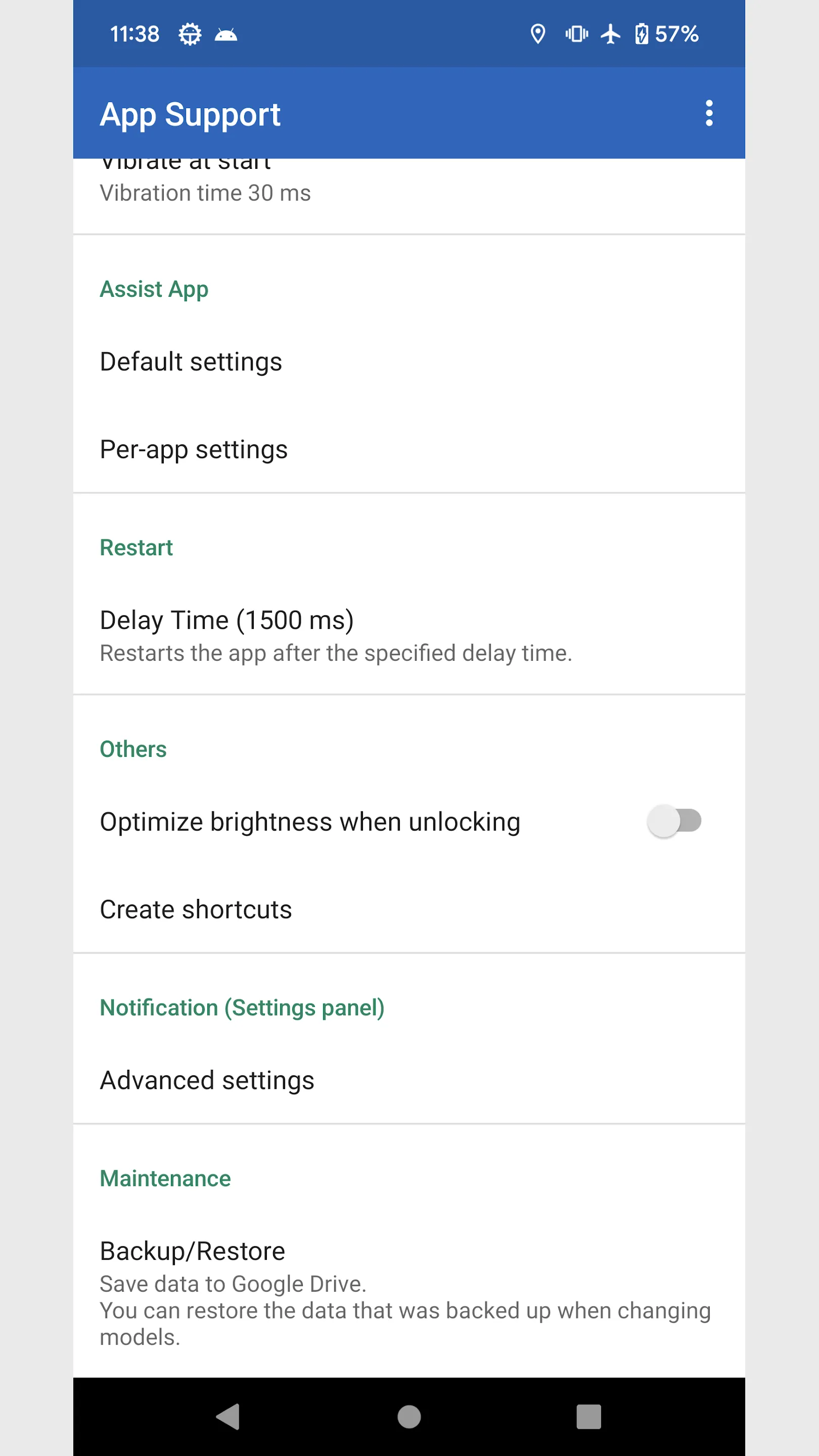
・Optimize brightness when unlocking
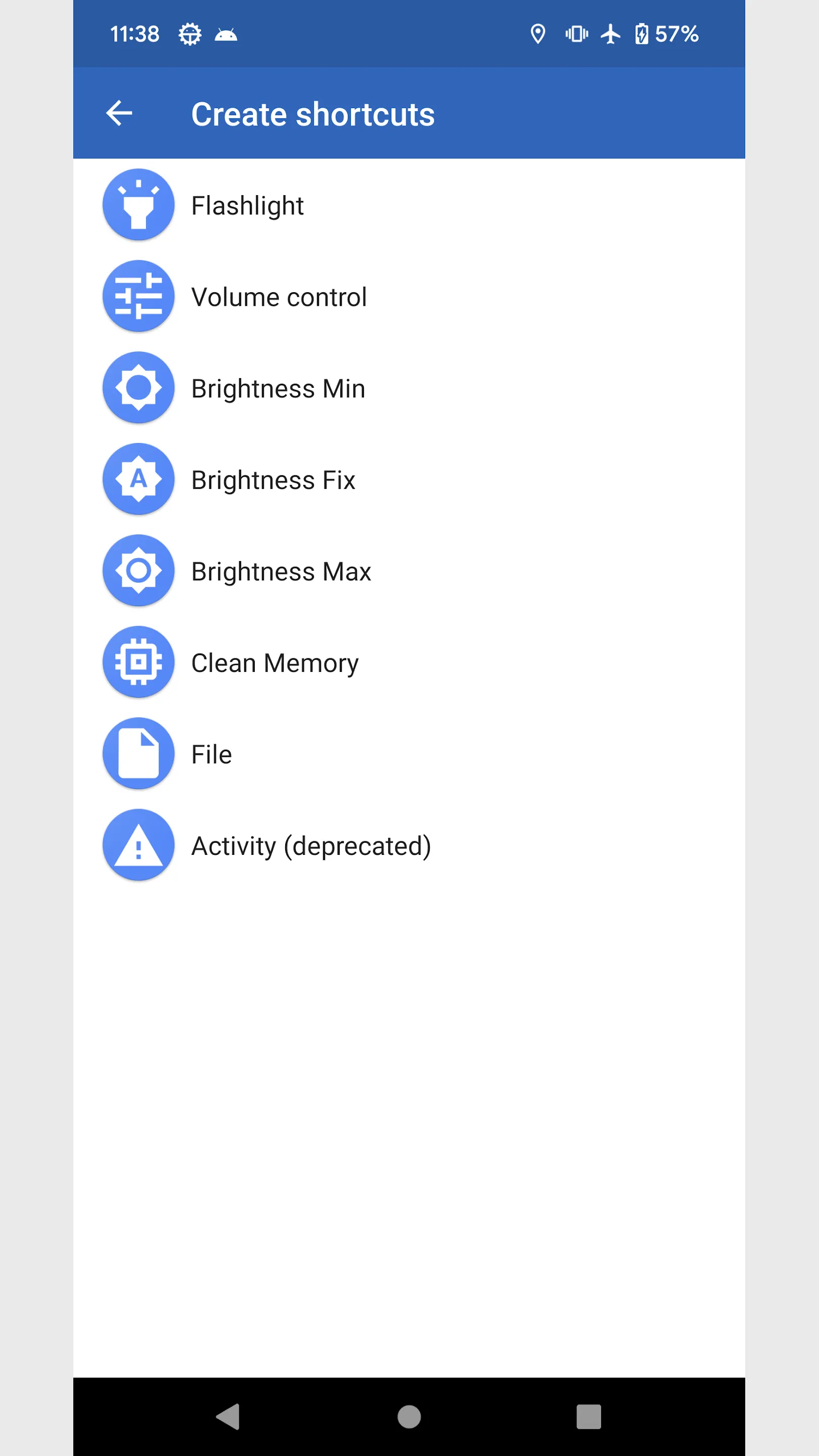
・Create shortcuts
Flashlight *
Volume control *
Brightness Min *
Brightness Fix *
Brightness Max *
File
Activity (deprecated)
* Can be placed on the quick settings panel of the device
■Manually run disable screen timeout
Long press the app icon and tap the shortcut that appears.
Disable screen timeout continues during manual execution instead of per app.
To exit, tap the shortcut again or tap Stop Notifications.
■About permissions
This app uses the following permissions to provide various services. Personal information will not be sent outside the app or provided to third parties.
・Post Notifications
Required to realize the main functionality of the app.
・Get list of apps
Necessary to obtain information about the running app and to implement the launcher function.
・Search for accounts on this device
You will need it when backing up your data to Google Drive.
■Notes
Please note that we are not responsible for any troubles or damages caused by this app.
Photography
Ratings
0
0 total ratings
5
73%
4
10%
3
4%
2
3%
1
10%
REVIEWS
No reviews yet. Be the first one to review this app
'%20fill-rule='evenodd'%20clip-rule='evenodd'%20d='M8.04878%200.118571C9.10796%20-0.198465%2010.2321%200.132893%2010.9526%200.961509L18.7058%209.9036H22.0709C23.0433%209.90386%2023.8429%2010.7032%2023.843%2011.6757V13.1309H23.8497C23.8497%2013.4983%2023.5476%2013.8014%2023.1803%2013.8015H19.9372V33.9548C19.9372%2034.423%2019.5703%2034.7975%2019.1021%2034.7977H17.142C15.91%2034.7977%2014.9156%2033.8036%2014.9154%2032.5644V28.0251C13.5538%2028.5582%2012.3722%2028.7169%2010.9963%2028.7169C6.45689%2028.7169%203.74677%2025.6897%203.74677%2020.6099V13.8015H1.77319C0.800641%2013.8015%200.000280942%2013.0091%200%2012.0294V10.573C0.000219737%2010.2057%200.303205%209.9036%200.670545%209.9036H13.5676L5.13039%201.85482C4.82078%201.55938%204.94365%201.04032%205.35428%200.917851L8.04878%200.118571ZM8.78425%2013.8082V20.611C8.78438%2023.1974%209.8151%2024.35%2012.1135%2024.35C12.9637%2024.3499%2014.1167%2024.1489%2014.902%2023.7959V13.8082H8.78425Z'%20fill='white'/%3e%3c/svg%3e)
Permissions
Contacts: access your contacts
Biometric Information: access biometric data like fingerprint to unlock the app
Internet: use your internet connection
Curated for YouSee all






Scan to download on PhonePe Appstore

