

BOOKSCAN
4.0
ratings3 MB
SizeVerified
SCREENSHOTS (2)
About the app
[More information]
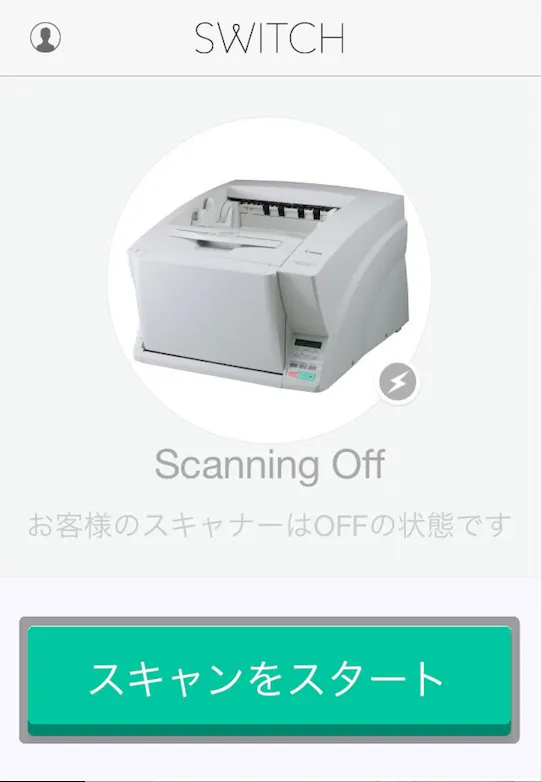
"Switch" app, necessary in order to scan in BOOKSCAN, operation of the scan start button on the scanner you can easily.
So that I am pressing the start button, scan will start.
Since the pressed not the scan does not start, please note.
Anytime, anywhere your library can be digitized at any time in the "BOOKSCAN", please a new reading experience.
[How to use]
Please download the "Switch" app from 1.Google Play.
Please refer to the member registration at 2.BOOKSCAN.
3. After membership registration, please log in by entering your email address password to start the "Switch" app.
4. can be operated with the "start / stop" in your scanner scan start button 1 tap.
※ If you do not press the start button, does not scan in BOOKSCAN is initiated.
Essential Apps
Ratings
0
0 total ratings
5
73%
4
10%
3
4%
2
3%
1
10%
REVIEWS
No reviews yet. Be the first one to review this app
'%20fill-rule='evenodd'%20clip-rule='evenodd'%20d='M8.04878%200.118571C9.10796%20-0.198465%2010.2321%200.132893%2010.9526%200.961509L18.7058%209.9036H22.0709C23.0433%209.90386%2023.8429%2010.7032%2023.843%2011.6757V13.1309H23.8497C23.8497%2013.4983%2023.5476%2013.8014%2023.1803%2013.8015H19.9372V33.9548C19.9372%2034.423%2019.5703%2034.7975%2019.1021%2034.7977H17.142C15.91%2034.7977%2014.9156%2033.8036%2014.9154%2032.5644V28.0251C13.5538%2028.5582%2012.3722%2028.7169%2010.9963%2028.7169C6.45689%2028.7169%203.74677%2025.6897%203.74677%2020.6099V13.8015H1.77319C0.800641%2013.8015%200.000280942%2013.0091%200%2012.0294V10.573C0.000219737%2010.2057%200.303205%209.9036%200.670545%209.9036H13.5676L5.13039%201.85482C4.82078%201.55938%204.94365%201.04032%205.35428%200.917851L8.04878%200.118571ZM8.78425%2013.8082V20.611C8.78438%2023.1974%209.8151%2024.35%2012.1135%2024.35C12.9637%2024.3499%2014.1167%2024.1489%2014.902%2023.7959V13.8082H8.78425Z'%20fill='white'/%3e%3c/svg%3e)
Permissions
Internet: use your internet connection
Developer Info
Curated for YouSee all






Scan to download on PhonePe Appstore

